DOCReceiving
The “Received from internet” tab
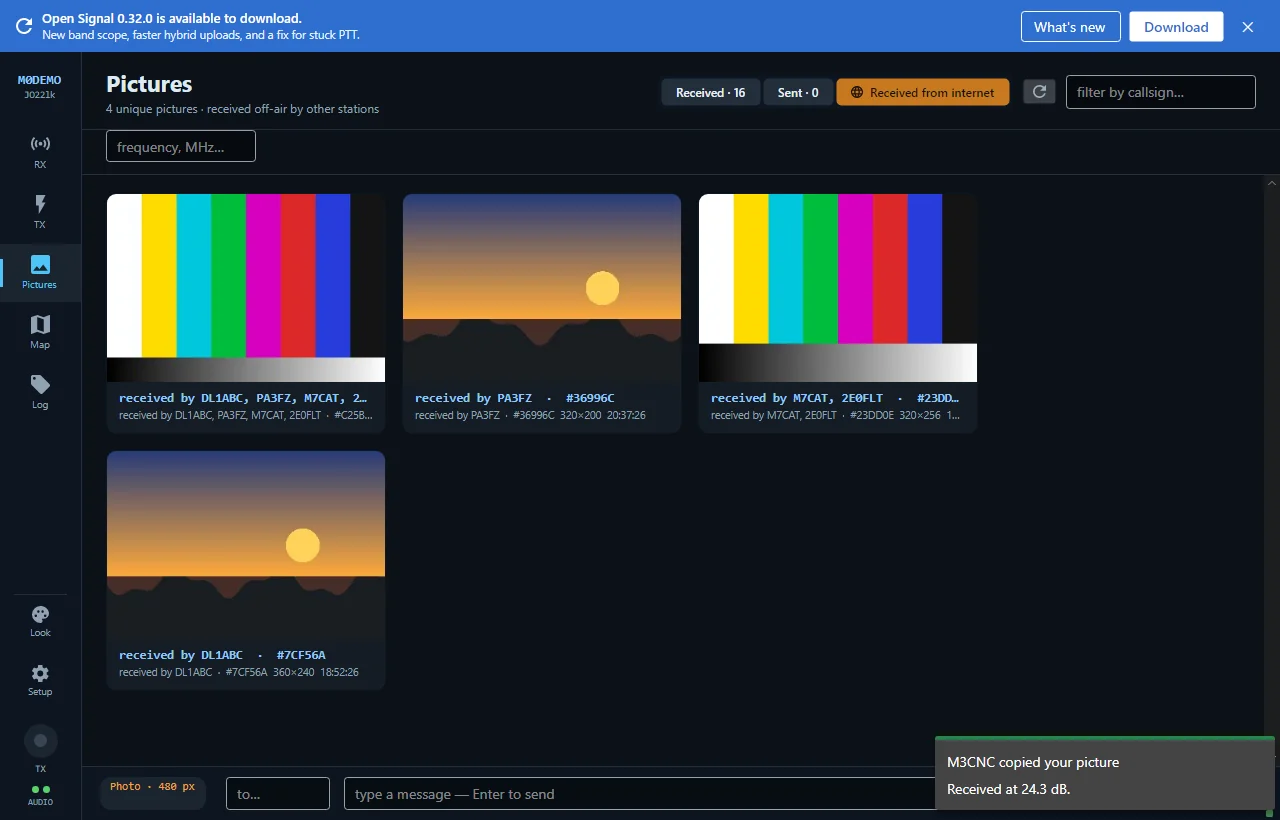
The shared feed shows pictures other Open Signal stations copied off the air — deduplicated per picture, listing every station that received it.
The third gallery tab shows what the network has been hearing: pictures other Open Signal stations received off the air and published.
How to read it
- Each picture appears once, even when several stations copied it — the card lists every callsign that received it: “received by 2E0FLT, PA3FZ, M7CAT”, plus a short colour serial (like
#C25B26) identifying the exact image. - Only genuine off-air receptions appear. What a station merely transmitted is never shown here — this tab answers “what’s actually getting through on the band”, not “what did people try to send”.
- The callsign and frequency filters work here too, so you can watch one band’s activity.
Refreshing
The feed loads when you open the tab and refreshes on demand with the refresh button. Pictures you publish yourself appear here once someone else receives and publishes them — seeing your own picture in this tab is the network telling you your signal got out.
New to Open Signal?
Start with the overview — what it does, the honest status, and how the pieces fit together.