Quick-text macros and tokens
The one-tap CQ, QRZ? and 73 buttons are fully editable, and tokens like {CALL} and {GRID} fill in your current details every time they are sent.
The one-tap message buttons in the composer (CQ, QRZ?, 73…) are yours to change: add, rename, reorder, remove — and they persist between sessions.
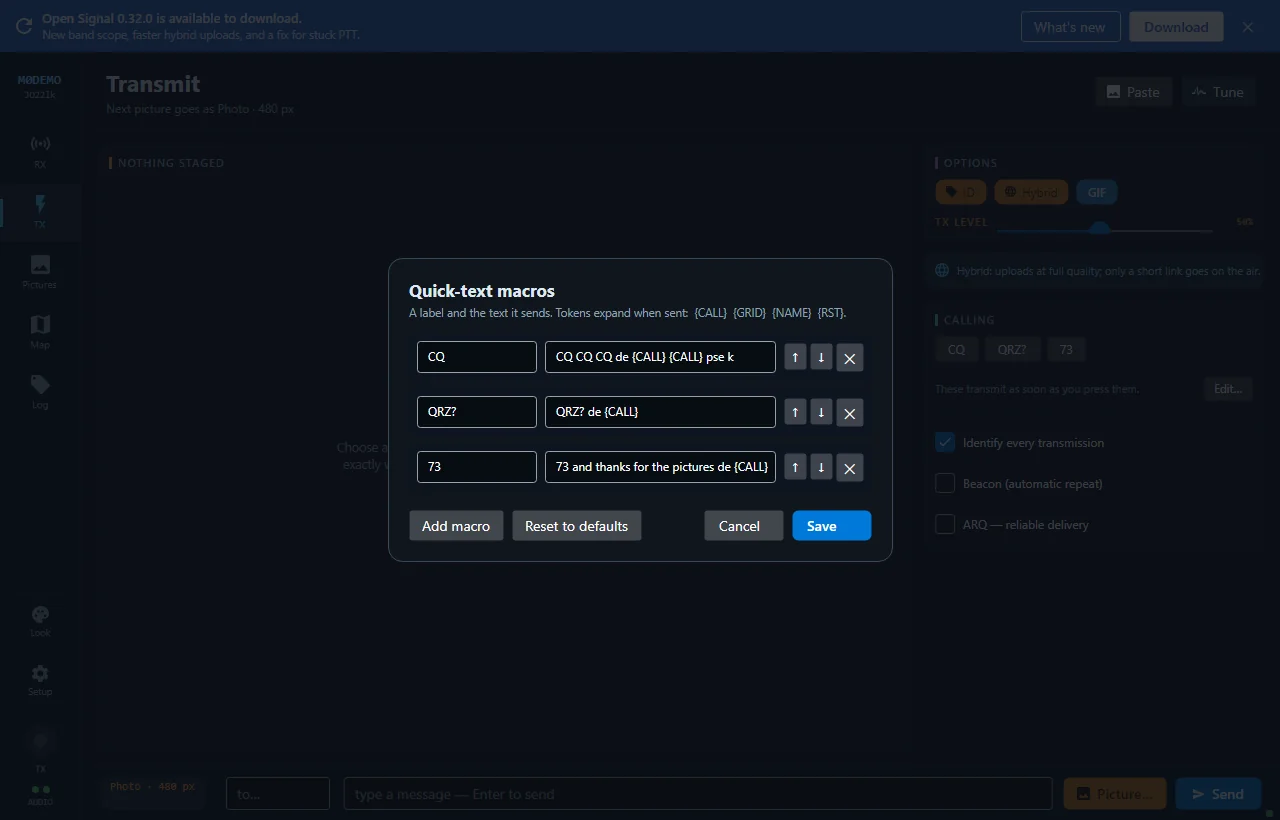
Editing them
Press Edit… next to the macro buttons. Each row is one button: a label (what the button says) and a template (what gets sent). Reorder with the up/down arrows, remove what you don’t use, Add macro for new ones. Reset to defaults brings back the built-in set if you make a mess.
Templates fill in your details
Four tokens expand when the message is sent:
| Token | Becomes |
|---|---|
{CALL} | Your callsign |
{GRID} | Your grid square (uppercased) |
{NAME} | Your name, from your profile |
{RST} | Signal report (599 unless set) |
So CQ CQ de {CALL} {CALL} {GRID} always sends your current details — edit your grid once and every macro follows.
Auto-ID still applies
A macro without your callsign in it still goes out identified — “de YOURCALL” is appended automatically when auto-ID is on.
New to Open Signal?
Start with the overview — what it does, the honest status, and how the pieces fit together.